ESMValTool on Gadi
What is ESMValTool?
The Earth System Model Evaluation Tool (ESMValTool) is a tool developed for evaluation of Earth System Models in CMIP. It allows for routine comparison of single or multiple models, either against predecessor versions or against observations. ESMValTool is a community-developed climate model diagnostics and evaluation software package, driven both by computational performance and scientific accuracy and reproducibility. It is open to both users and developers, encouraging open exchange of diagnostic source code and evaluation results from the CMIP ensemble of models.
For more information, refer to the official ESMValTool documentation.
Note
ACCESS-NRI is supporting a Gadi-specific configuration of ESMValTool via the conda/analysis3 environment. It includes the ESMValTool and ESMValCore Python packages, with the ESMValTool collection of recipes and diagnostics. It is configured to use the existing NCI-supported CMIP data collections and Replicated observational datasets.
ACCESS-NRI is a member of the ESMValTool Consortium and is contributing to the development of the tool for the Australian climate community.
Using ESMValTool on Gadi
Prerequisites
- Have an NCI Account
- Join the xp65 project for the conda/analysis3 environment.
Depending on your needs, you may want to also join the following supported data collections:
- CMIP6: fs38, oi10
- CMIP5: rr3, al33
- Observation data collection: ct11
- ERA5 and ERA5-Land: rt52, zz93
- obs4MIPs: qv56
Using ESMValTool in a PBS job
ESMValTool YAML recipes should be run within a PBS job.
ESMValTool is provided on Gadi within the conda/analysis3 environment.
See use the environment in a PBS job.
To be able to use the esmvaltool command, load the conda/analysis3 environment by adding:
module use /g/data/xp65/public/modules
module load conda/analysis3
Within the PBS job script you can use the run command to run a recipe:
esmvaltool run examples/recipe_python.yml
Using ESMValCore API in a Jupyter notebook
While ESMValTool is used as a term to include both ESMValTool and ESMValCore packages together, though they are separate packages. ESMValCore is the software package which provides the core functionality for ESMValTool, such as finding CMIP data and applying commonly-used preprocessing functions, and can be used without ESMValTool.
The example below shows how to use ESMValCore API within a Jupyter notebook.
Start an ARE session
Start an ARE Jupyterlab session with the additional settings required by the conda/analysis3 environment.
Find and load datasets
The example below finds all available ensemble members for the dataset defined.
The '*' wildcard is used to find all available entries for the ensemble facet.
from esmvalcore.dataset import Dataset
dataset_search = Dataset(
    short_name='tos',
    mip='Omon',
    project='CMIP6',
    exp='historical',
    dataset='ACCESS-ESM1-5',
    ensemble='*',
    grid='gn',
)
ensemble_datasets = list(dataset_search.from_files())

print([ds['ensemble'] for ds in ensemble_datasets])
To load the first ensemble from the desired datasets you can use the .load() method:
dataset = ensemble_datasets[0]
cube = dataset.load()
ESMValCore preprocessors
You can take advantage of built-in preprocessors.
The example below shows how to find the monthly anomalies and the annual mean of a dataset:
from esmvalcore.preprocessor import annual_statistics, anomalies

# Set the reference period for anomalies
reference_period = {
    "start_year": 1950, "start_month": 1, "start_day": 1,
    "end_year": 1979, "end_month": 12, "end_day": 31,
}

cube = anomalies(cube, reference=reference_period, period='month')
cube = annual_statistics(cube, operator='mean')
See the API reference for further information on using preprocessors.
Custom ESMValTool configuration
From version 2.12, ESMValTool looks for its configuration files in the ~/.config/esmvaltool directory.
To copy an example ESMValTool configuration file to this default directory you can use the esmvaltool config copy command.
You can list available example configuration files with esmvaltool config list.
For example, to copy the custom configuration defaults/config-user.yml to ESMValTool's default directory you can run:
esmvaltool config copy defaults/config-user.yml
You can edit configuration files in ESMValTool's default folder to suit your needs, this would be added to the configuration in conda/analysis3. This environment is pre-configured to access CMIP and observation datasets available on Gadi.
For more information on configuration see the ESMValTool configure documentation.
To load your own custom configuration from your ESMValTool configuration folder in an ARE Jupyter notebook you can use (You will need to include the full path for your HOME directory in an ARE notebook):
from esmvalcore.config import CFG

CFG.load_from_dirs(['~/.config/esmvaltool'])
# ~ is your HOME directory (e.g. /home/111/userid)
Tip
This will overwrite the conda/analysis3 configuration so you will need to have data sources configured to find data. This function takes a list so you can combine multiple configuration directories.
Tutorials
For tutorial series and material from previous workshops see ESMValTool Tutorials. There is also a tutorial with the ESMValTool organisation which you might find useful though is not taylored for use on Gadi.
ESMValTool example recipes
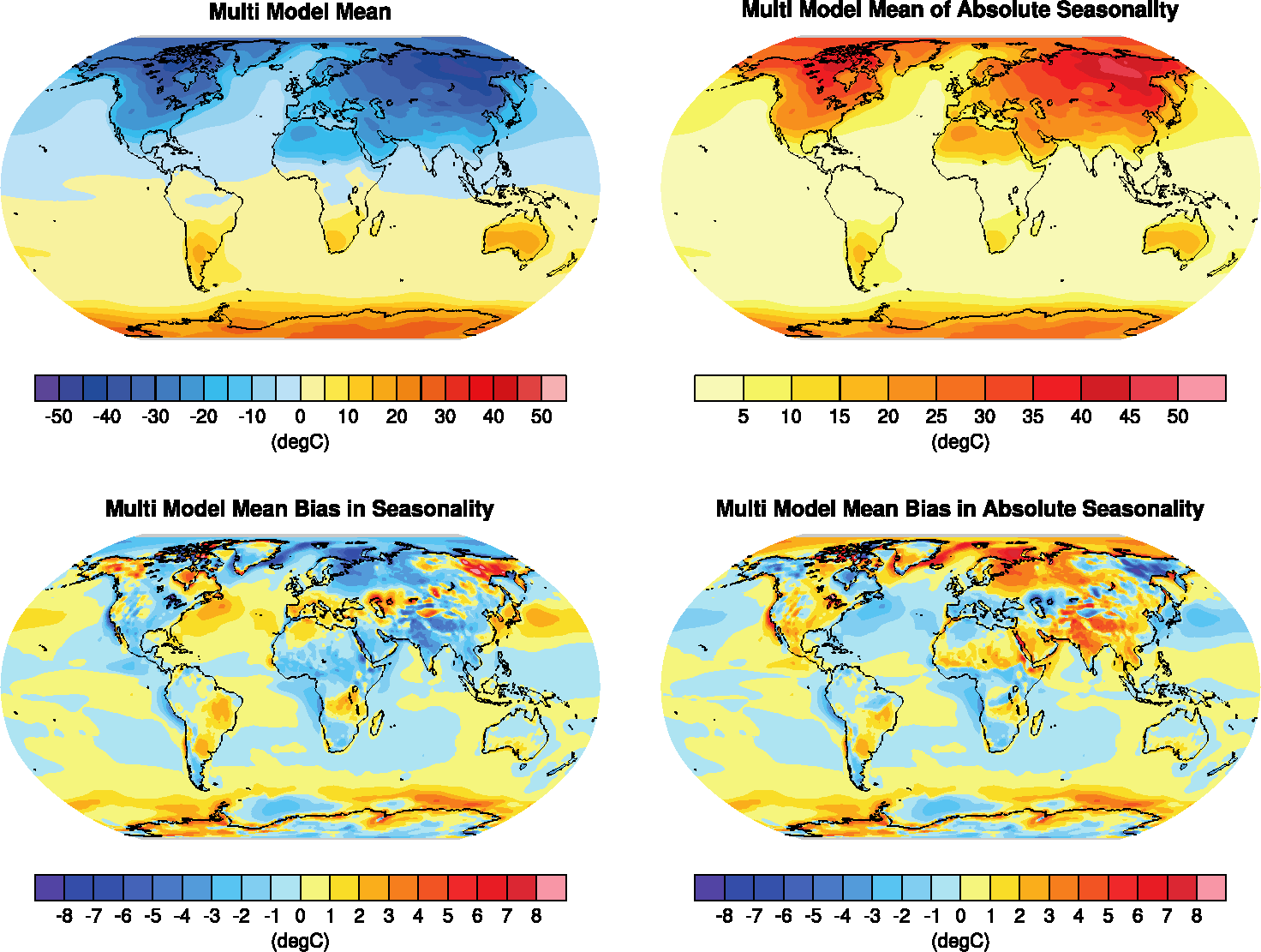
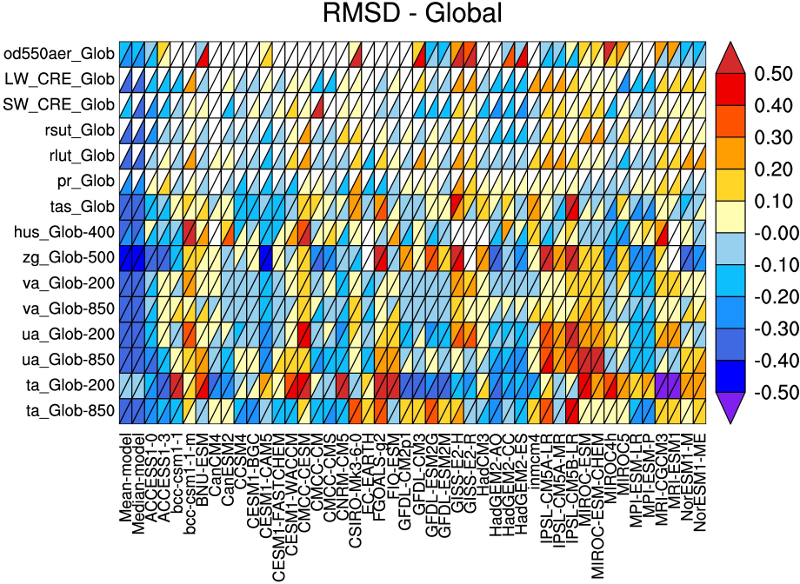
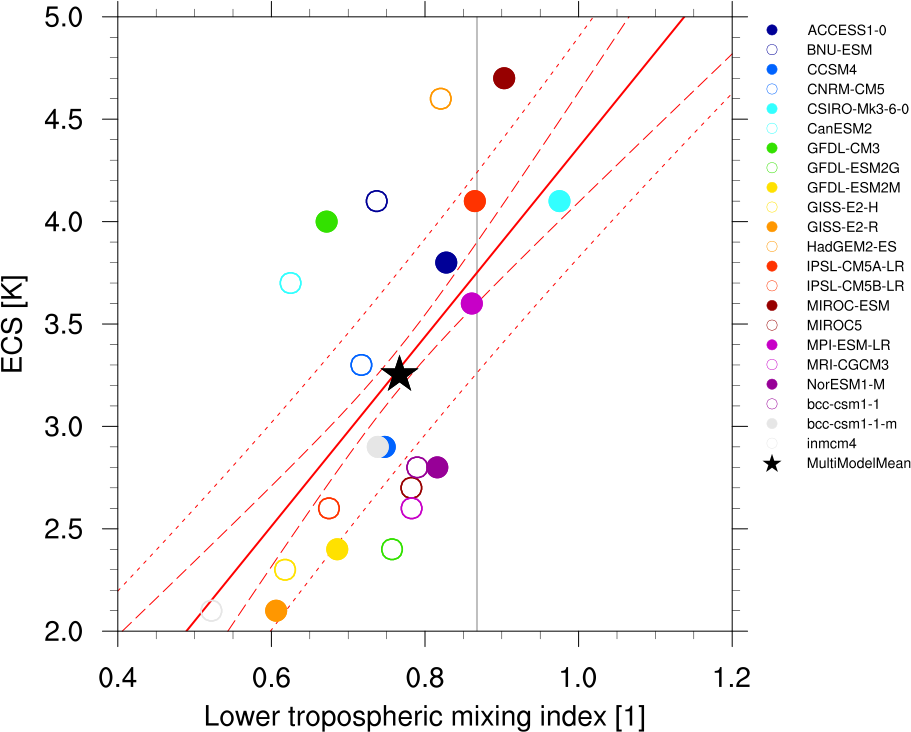
Some ESMValTool example recipes are provided below:
Support
For further assistance on using ESMValTool on Gadi, refer to User support on ACCESS-Hive Forum.
General ESMValTool support (i.e. non-specific to Gadi) can be found on the ESMValTool Discussions page, where users can also post technical questions on the ESMValTool installation, application and development. There are community meetings to keep up to date on developments or ask questions to other users. These are announced on the ESMValTool Community repository. You can also join the ESMValTool mailing list.
Recipes and diagnostics
Contacts for specific diagnostic sets are listed as authors in the source code and in the corresponding recipe and diagnostic documentation.
License
The ESMValTool is released under the Apache License, version 2.0.
Citation of the ESMValTool paper (“Software Documentation Paper”) is requested upon use, along with the software DOI for ESMValTool (doi:10.5281/zenodo.3401363) and ESMValCore (doi:10.5281/zenodo.3387139) together with the version:
Righi, M., Andela, B., Eyring, V., Lauer, A., Predoi, V., Schlund, M., Vegas-Regidor, J., Bock, L., Brötz, B., de Mora, L., Diblen, F., Dreyer, L., Drost, N., Earnshaw, P., Hassler, B., Koldunov, N., Little, B., Loosveldt Tomas, S., and Zimmermann, K.: Earth System Model Evaluation Tool (ESMValTool) v2.0 – technical overview, Geosci. Model Dev., 13, 1179–1199, https://doi.org/10.5194/gmd-13-1179-2020, 2020.
Besides the above citation, users are asked to register any journal articles or other scientific documents that use the software on the ESMValTool website. Citing the Software Documentation Paper and registering your papers will serve to document the scientific impact of the Software, which is important for securing future funding. You should consider this an obligation if you have taken advantage of the ESMValTool, which represents the end product of considerable effort by the development team.