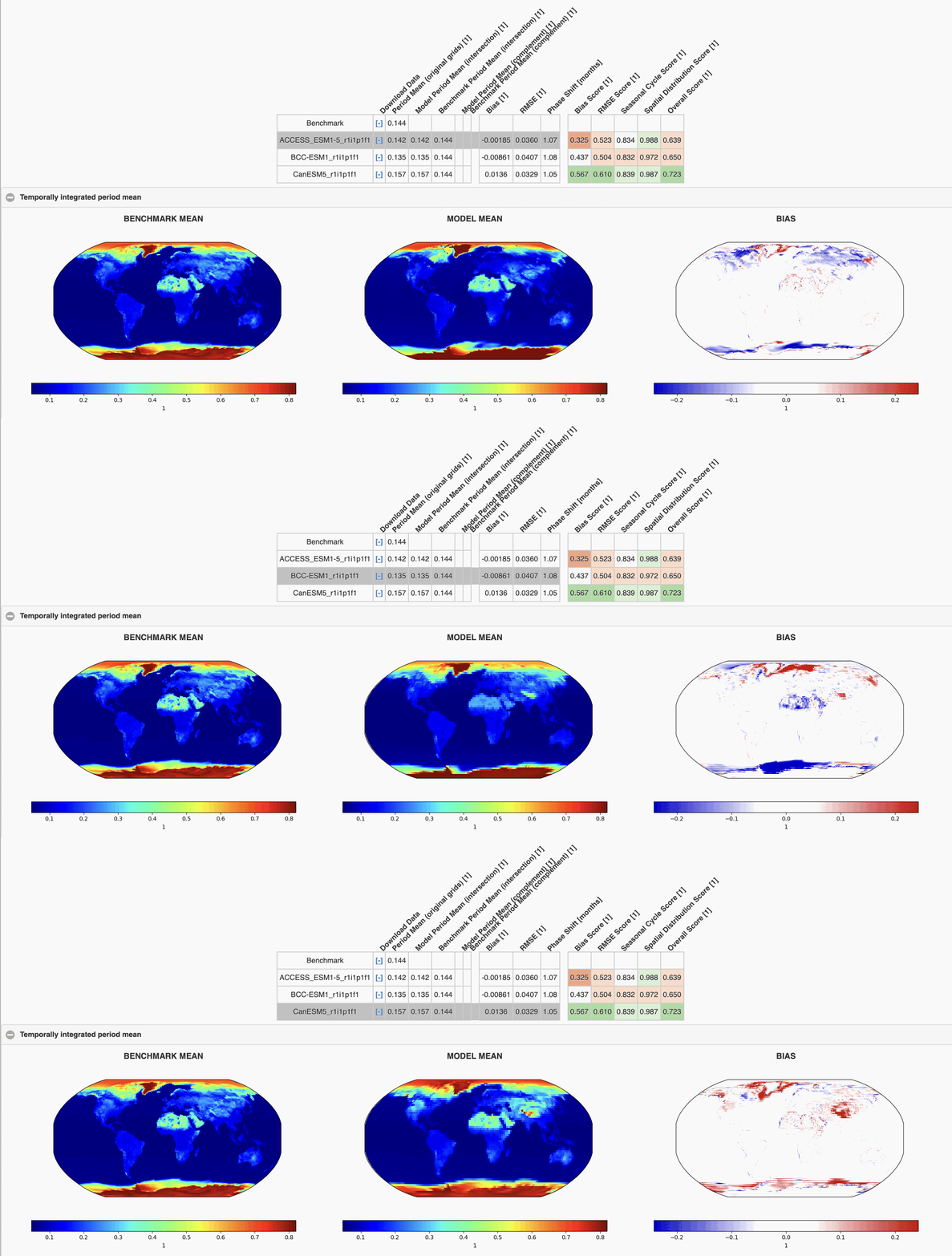
ILAMB-workflow on Gadi
What is ILAMB?
The International Land Model Benchmarking (ILAMB) benchmarking system is a Python framework used to quantitatively compare a defined set of observable variables with a number of land models.
This documentation is tailored to using ILAMB on Gadi and, hence, it supplements ILAMB's official documentation rather than replacing it. Users are encouraged to read the ILAMB official documentation and relevant tutorials.
Note
ACCESS-NRI is supporting an NCI configuration of ILAMB under the name ILAMB-workflow via the conda/analysis3 environment.
ILAMB-workflow is the ACCESS-NRI software and data infrastructure that enables the ILAMB evaluation framework on NCI Gadi. It includes:
- ILAMB Python packages,
- a series of ILAMB outputs for ACCESS model evaluation,
- the ILAMB-Data collection of observational datasets.
ILAMB-workflow is configured to use the existing NCI-supported CMIP data collections.
Using ILAMB on Gadi
Pre-requisites
- Have an NCI Account
- Join the xp65 project for the conda/analysis3 environment.
Depending on your needs, you may want to also join the following supported data collections:
Enable ILAMB-workflow commands
ILAMB is provided through the conda/analysis3 environment. To enable the ILAMB-workflow commands, load the module by running:
    module use /g/data/xp65/public/modules
    module load conda/analysis3
How to use ILAMB-workflow
To run ILAMB, you need to execute the command ilamb-run with a number of arguments/ files:
ilamb-run --config config.cfg --model_setup model_setup.txt --regions regions.txt
* _config.cfg_ defines which observables and observational datasets to be compared.
* _model_setup.txt_ defines the paths of models that to be compared.
* _regions.txt_ defines the regions to be compared, e.g., _global_, _aust_ (Australia), etc.
While these files can be self-defined, ACCESS-NRI provides the necessary files and tools to set your model paths to run on Gadi. All you need to do is decide which observations and models you wish to compare.
NCI hosts replicas of the ILAMB observational data sets through the NCI project ct11 as well as a large amount of model outputs are available on Gadi, such as ACCESS model output.
For more information, refer to Finding ACCESS Data on how to find data on NCI.
Visit ILAMB-workflow documentation for further information on how to use ILAMB on Gadi.
To learn more about how to adjust the ILAMB setup, refer to the official ILAMB documentation and relevant tutorials.
Example: CMIP6 comparisons and ACCESS ESM1.5 benchmarking
ACCESS-NRI maintains a collection of benchmark comparisons for the ACCESS community, including comparisons with data from CMIP. See the workflow documentation for details.
In the following example, ACCESS-ESM1.5 is compared with two other ESM models:
- BCC ESM1 (Beijing Climate Center Earth System Model version 1)
- CanESM5 (Canadian Earth System Model version 5)
Numerous benchmark comparisons have been defined in the configuration file. The comparison of variables have been organised under different sections, such as the Hydrology Cycle.
For other variables, such as the Gross Primary Productivity (gpp), one or more datasets are available (e.g. the gross primary productivity measurements of FLUXNET2015).
By clicking on a row in the table, you can expand it to see the underlying datasets used. The table's colourmap extends from best values in purple to worse data in orange.
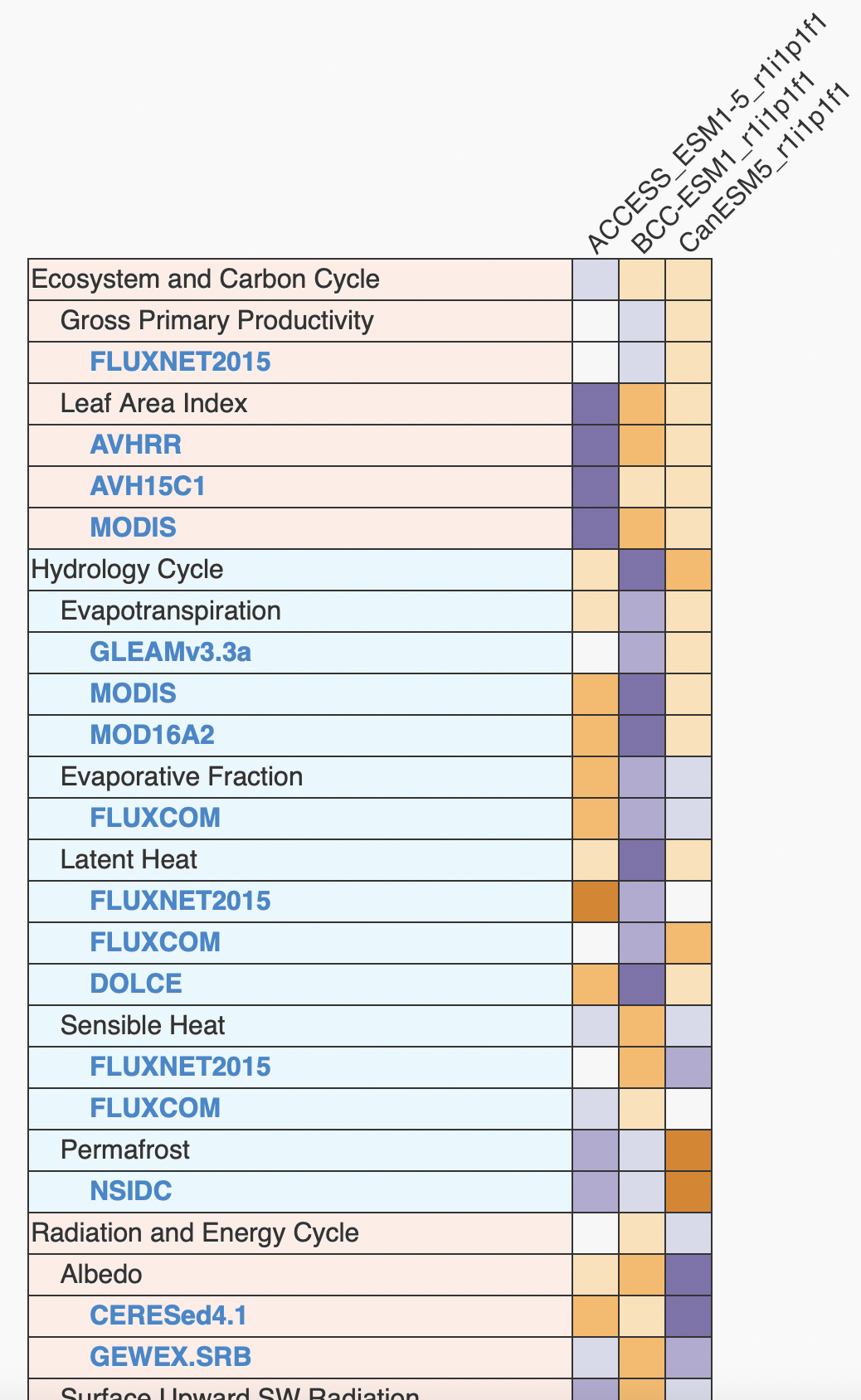
Clicking on one of these datasets, for example CERESed4.1, will take you to an interactive and quantitative comparison page for Albedo measurements of the Clouds and the Earth’s Radiant Energy System (CERES) project: